
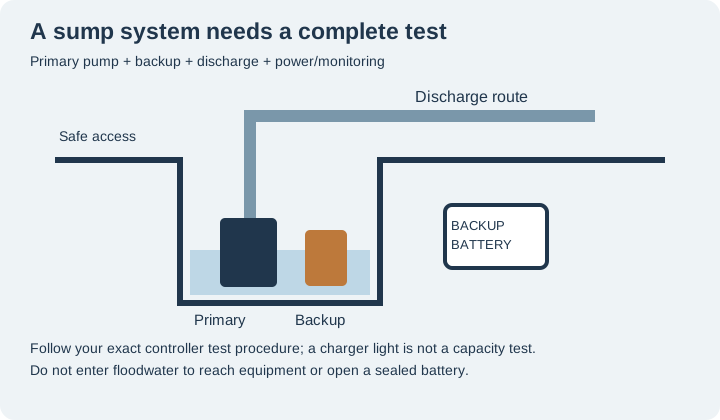
Create a model-specific test record before heavy rain. The primary pump, backup pump, battery and discharge route must work together.
Tools and materials
- Pump and backup-controller manuals
- Flashlight
- Notebook with pump and battery dates
- Water for a supervised test only if the manual specifies it and access is safe
Time is a planning estimate. It excludes professional repairs, drying and replacement parts unless specified.
Step-by-step checks
1. Document the equipment
Record both pump models, the battery type, installation dates and service contacts. Identify whether the backup is battery powered or another design. A generic battery test cannot be applied to every backup system.
2. Inspect from safe access
Look for an obstructed discharge outlet, visible damage and controller warnings. Keep the pit and cover arrangement as specified; a sealed radon cover or complex installation may need professional access. Do not reach into the sump while power is available.
3. Use the prescribed functional test
Follow the owner manual’s test button or supervised water-test sequence. Observe starting, water removal and stopping from a safe position. Do not add more water if the pump fails to remove it, and do not leave a test unattended.
4. Check backup performance separately
A charge light reports a controller condition, not guaranteed running capacity. Use only the specified backup test and restore all normal settings afterwards. Record alarms, unusual noises and whether water was actually removed. Ask a service provider about load testing when the battery’s condition is uncertain.
Check the result
Keep a dated result for the primary and backup. Confirm normal power and monitoring are restored after the manufacturer-approved test.
What can happen if you postpone it?
A failed pump or blocked discharge can allow basement flooding. No single claimed lifespan or battery run time guarantees protection for your water inflow.
When to call a professional
Arrange service for repeated alarms, poor pumping, an unknown battery, corroded connections, damaged wiring or unsafe access.
Keep a useful record
Write down the model, date, observations and next action. Save a photograph only from a safe position. Keep service invoices with your household records so the next check has a clear comparison.
Add this to your maintenance plan · Read related questions
Sources and scope
Zoeller AquaNot 508 Fit model-specific maintenance instructions
Sources checked November 5, 2026. AI-assisted educational writing; no field test or licensed professional review is claimed. Model instructions and local requirements take priority.